Start    Services    Portfolio    Basic DA Add-in

Basic DA Add-in

Greater convenience. Clearer processes.

Extensions for Tacton Design Automation.

Improve user-friendliness and optimise workflows.


Enhance your Tacton Design Automation Engineer with the DLP Basic Add-in to gain practical functions for more efficient configuration. Optimised user interfaces, automated workflows and structured results data reduce manual effort, improve data quality and lay the foundations for end-to-end processes.

Productivity and structure in configuration.

  • The DLP Basic Add-in enhances Tacton Design Automation Engineer with a wide range of functions designed to improve convenience and efficiency in day-to-day use.
  • Customisable interfaces, optimised dialogue boxes and functions such as Undo/Redo, recovery and other productivity tools simplify the configuration process.
  • The integrated configuration completion process validates data, checks mandatory fields and ensures that the generated variants are complete and consistent.
  • CAD models, drawings, bills of materials and other output data are automatically generated, processed and stored in a structured manner.
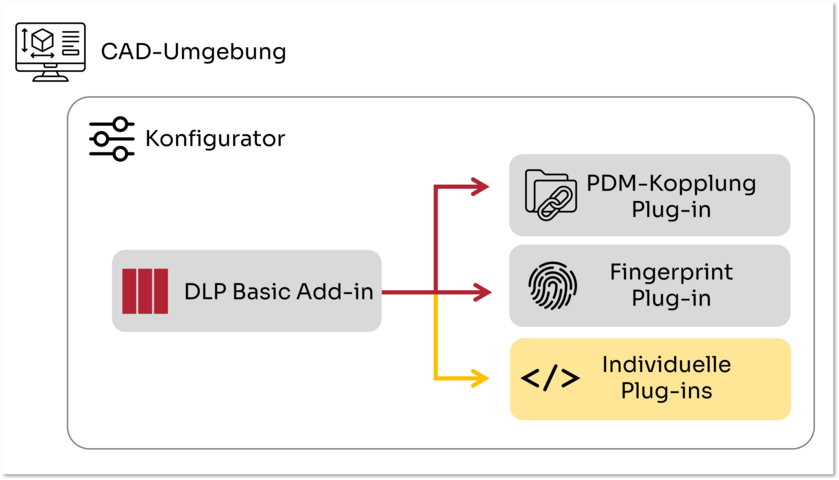
  • The add-in serves as the basis for further extensions such as PDM integrations, duplicate management or customer-specific workflows.

Basic Add-in

Enhancement of the user interface and user experience

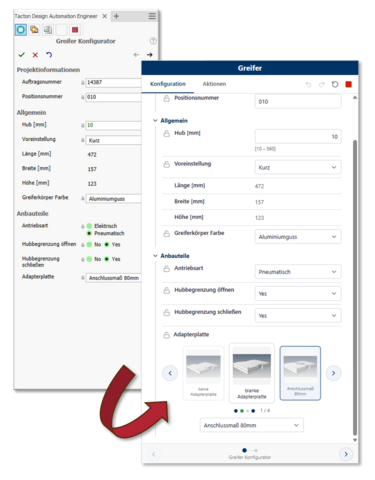
Improved user interface

Give your Tacton Configurator a modern and professional look. With the Basic Add-in, you can flexibly customise the interface to match your corporate design using CSS. A new tab bar, clearly laid-out configuration steps and handy drop-down menus for image selection ensure a clearer overview and easier navigation.


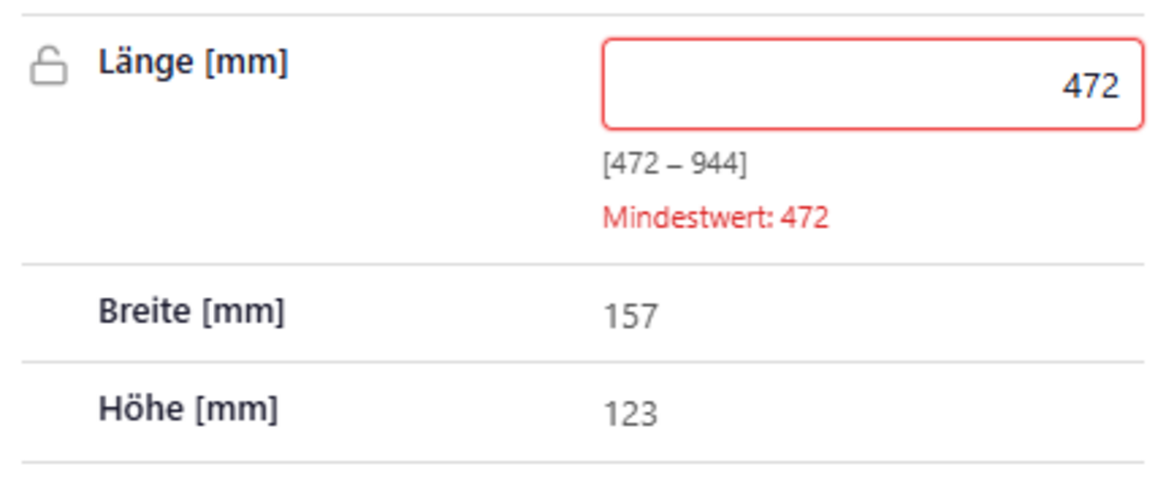
Definition ranges
Greater clarity with every input: the valid definition range is visible at all times, whilst values that exceed the limits are highlighted immediately. This simplifies operation, minimises errors and ensures a smooth configuration process.


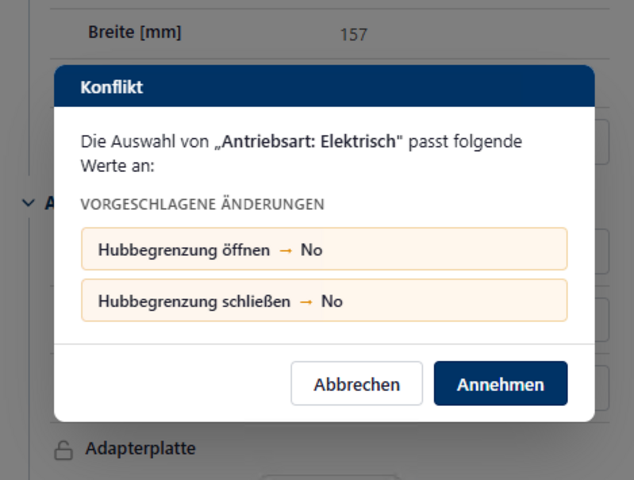
Improved conflict resolution
Resolve conflicts more quickly and easily. All entries that conflict with the current selection are clearly displayed. This enables users to identify relationships at a glance and reach the desired configuration more quickly.

Optimisation of the filing workflow

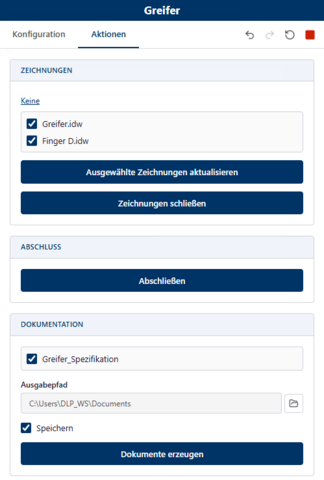
Actions tab
: All related actions are grouped together in one central location. This provides a clear overview, simplifies use and offers a flexible basis for customised extensions.


Configuration
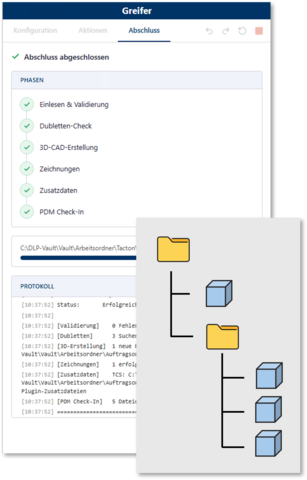
Completion Complete configurations efficiently and securely. The Basic Add-in supports you with an automated completeness check, optimised processing of CAD data and advanced functions for automatic drawing generation. In addition, supplementary data can be generated directly, ensuring that all relevant information is available for downstream processes.


Custom plug-ins
: Expand your Basic Add-in to include exactly the functions you need for your processes. In addition to our standard plug-ins, bespoke extensions can also be seamlessly integrated to map, automate and specifically optimise existing workflows. This allows the solution to grow flexibly in line with your requirements.

scroll to top